If you are planning on selling your iPad, or even giving it to a family member, you will want to reset the iPad to the factory default settings. This will wipe your iPad, erasing the settings and data, and returning it to the exact state as when you first opened the box.
By wiping the iPad, you allow it to be set up properly by the new owner. You also protect yourself and your personal information by making sure all of the settings and data are erased from the iPad.
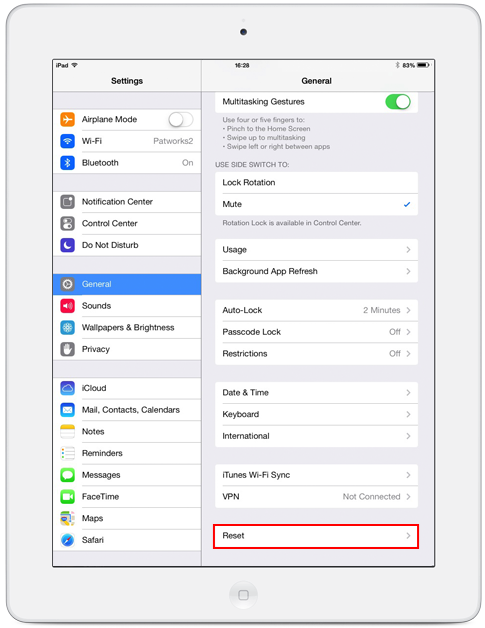
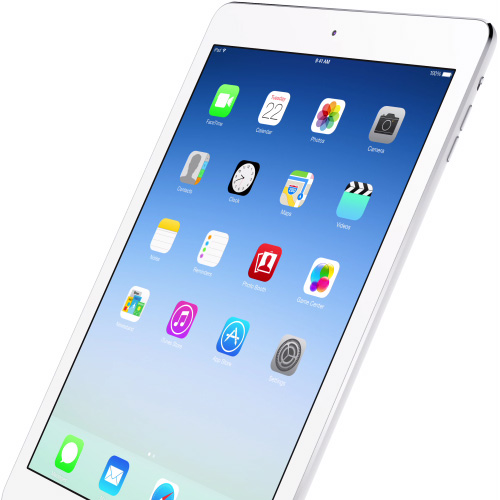
The first step to reset your iPad is to go into the iPad’s settings. This is the icon that looks like gears. On the left-hand side of the settings, choose the General settings and scroll down the page until you see “Reset”. This is the last option in the general settings.
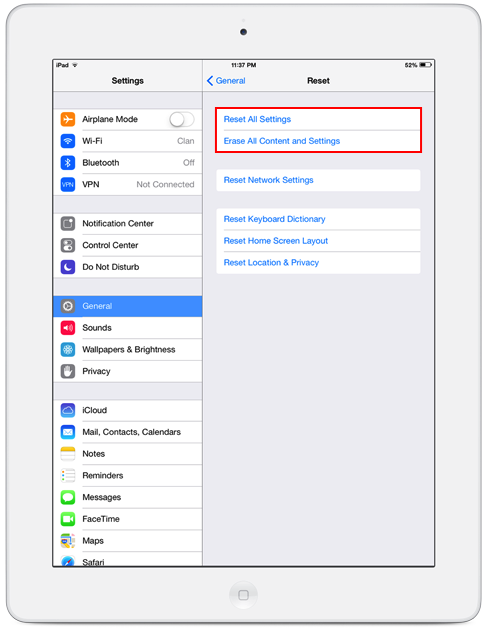
If you are giving your iPad to a family member who is going to use the same iTunes account, you might want to choose the first option: Reset All Settings. This will leave the data (music, movies, contacts, etc.) but reset the preferences.
But most people will want to choose Erase All Content and Settings. This protects you by making sure all data is off the iPad, which includes information for your iTunes account. If you are selling the iPad on craigslist, eBay, or to a friend or family member who will be using a different iTunes account, choose to erase all content and settings.
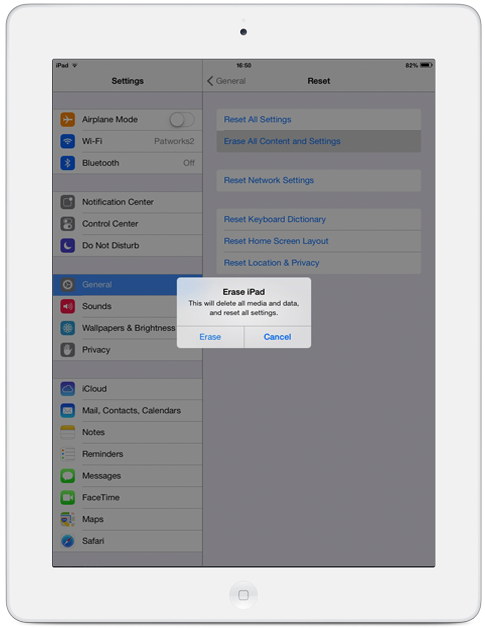
Once you have chosen to erase the contents and settings from your iPad, you will need to confirm your selection twice. Because this will set your iPad back to the factory default, Apple wants to double check your choice.
After confirming your choice, the process of erasing the data on your iPad begins. The entire process takes a couple of minutes, and during the process, the Apple logo will appear in the middle of the screen. Once it is done, a graphic asking to be plugged into iTunes will appear.